
Ben
Ben
Comments
-
-
@Alexey, thanks for bringing this up. I'll apply the same to the 'non cron job' sending script. Thanks.
-
-
Hi,
Send a campaign to a list with your email address inside, if you receive the email, opens, clicks etc are tracked and the campaign report works, then you're good to go.
Thanks.
Best regards,
Ben -
Hi,
If you're sure your users already gave you permission to email them and expect emails from you, then they probably won't mark your email as spam, so you've got that part taken care of.
For getting 'high bounce rates', this is …
-
Hi,
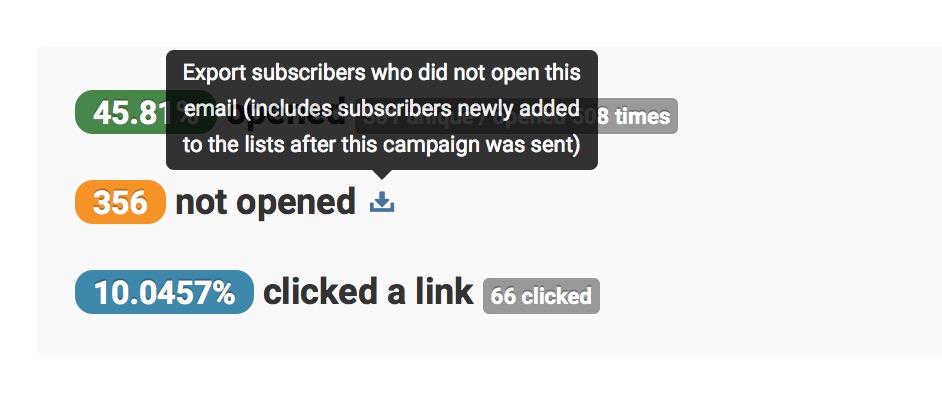
You can export a CSV of all recipients who "did not open" (screenshot below):
Best regards,
Ben -
==== Update ====
You can now export 'recipients who did not open your email' in the report with one click from version 2.0 onwards.
-
Hi,
It's here on the 'Define recipients' page (the page where you select lists to send your campaign to):
Best regards,
Ben -
Hi,
Cron job setup instructions appears in Sendy where appropriate:
When you are at the ‘Define recipients’ page and you will see the cron job setup instructions note in a yellow box at the bottom (screenshot → in Where are the cron job setup instructions? Comment by Ben January 2015
-
Your understanding is correct.
-
Hi,
How it works is that if you add a new email to an existing autoresponder, if the date of the email to be sent is passed the subscription dates of existing subscribers, it will not be sent to the subscriber.
Best regards,
… -
Hi Milenko,
(Quote)I've just recorded a video to show you how → http://d.pr/v/1iwIr
Thanks.
Best regards,
Ben -
Hi,
- Move Sendy's files to the new server
- Move your MySQL database as well (export your current Sendy MySQL database as
.sqlfile and import it into your ne…
-
Hi,
Send the campaign to a list with only your email address inside as a test. If the unsubscribe link successfully redirects you to your custom unsubscribe URL, it will work for any campaigns you send in future.
Thanks.
B…
-
In Sendy's .htaccess file:
- Delete the line
Options +FollowSymlinks +MultiViews. - And change
Re…
- Delete the line
-
That's strange and something I have never seen before.
What hosting server are you on? Did you setup the LAMP stack yourself or is it a shared or VPS server?
Also, what's in the contents of your Sendy .htaccess file on your server…
-
Hi,
Did you also send the campaign to yourself? If so, when you open the email, does it register as 'opened' in the report? If you click a link, does it register as a 'click' in the report?
Best regards,
Ben -
Hi,
There's no issues with Sendy sending emails via SMTP. Try sending with another SMTP settings from, example, Gmail and see if it sends through. If it doesn't, your host might have blocked you from sending emails via third party SMTP in…
-
Hi,
That's strange though. Can you check if there are unintentional spaces around your license key in your database:
- Login to your MySQL database via phpmyadmin
- Go to the
                in                     Outgoing connections blocked
                Comment by Ben
                January 2015
-
Hi,
Please contact your hosting support to turn off
mod_securityon your server to resolve this issue.Best regards,
Ben -
Check that the value of your APP_PATH in
/includes/config.phphas no spaces around it. -
Hi,
Sendy is not supported on Nginx. It's only supported on Apache as described in the FAQ on Sendy's website http://sendy.co/#faqs-buy.
Or try using this Nginx configuration …
-
Hi,
IAM credentials don't expire though as far as I understand. Anyway, glad you resolved your issue.
Thanks.
Best regards,
Ben -
Hi,
Try sending a test email in your Amazon SES console (not in Sendy) and see if you get any error message from Amazon.
Best regards,
Ben -
Hi,
You probably forgot to setup the autoresponders.php cron job on your new server.
Best regards,
Ben -
Hi,
Check with your host if
mod_securityis turned 'on' on your server. If so, please turn it off.Best regards,
Ben -
Hi,
There are only 2 types of bounces 'hard' and 'soft' bounces. If an email is flagged as 'Bounced' in your list, it is a hard bounce. A hard bounce means the email does not exist or no longer exist.
(Quote)You can do a searc…
-
Your domain 'solutionmail.org' has a "www" redirect.
Try setting the APP_PATH in
/includes/config.phpto 'http://ww… -
Hi,
Make sure your
session.save_pathdirectory's permission is set to 0777. Make sure it's writable so that session variables can be saved, then you can login successful…